> ## Documentation Index
> Fetch the complete documentation index at: https://docs.intros.ai/llms.txt
> Use this file to discover all available pages before exploring further.

# Reports

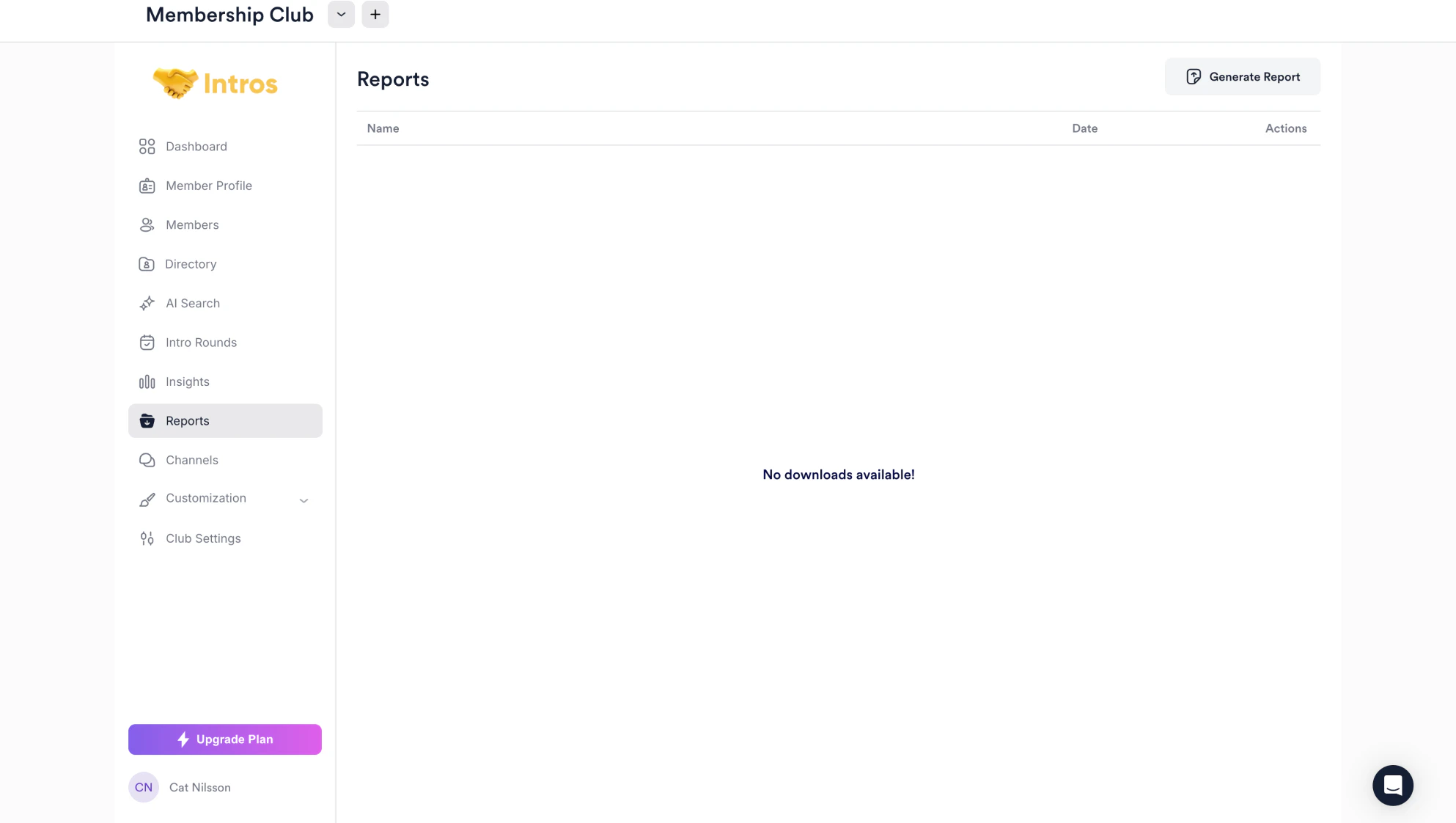
<img src="https://mintcdn.com/introsai/UO3OTE3w0Au7uQjM/images/Reports.png?fit=max&auto=format&n=UO3OTE3w0Au7uQjM&q=85&s=4c0dc80afdf0d8a62fa437f291053dd6" alt="" width="1986" height="1122" data-path="images/Reports.png" />

Welcome to the Reports page, where you can generate reports to analyze a variety of data points related to your members.

***

## **Generating Reports**

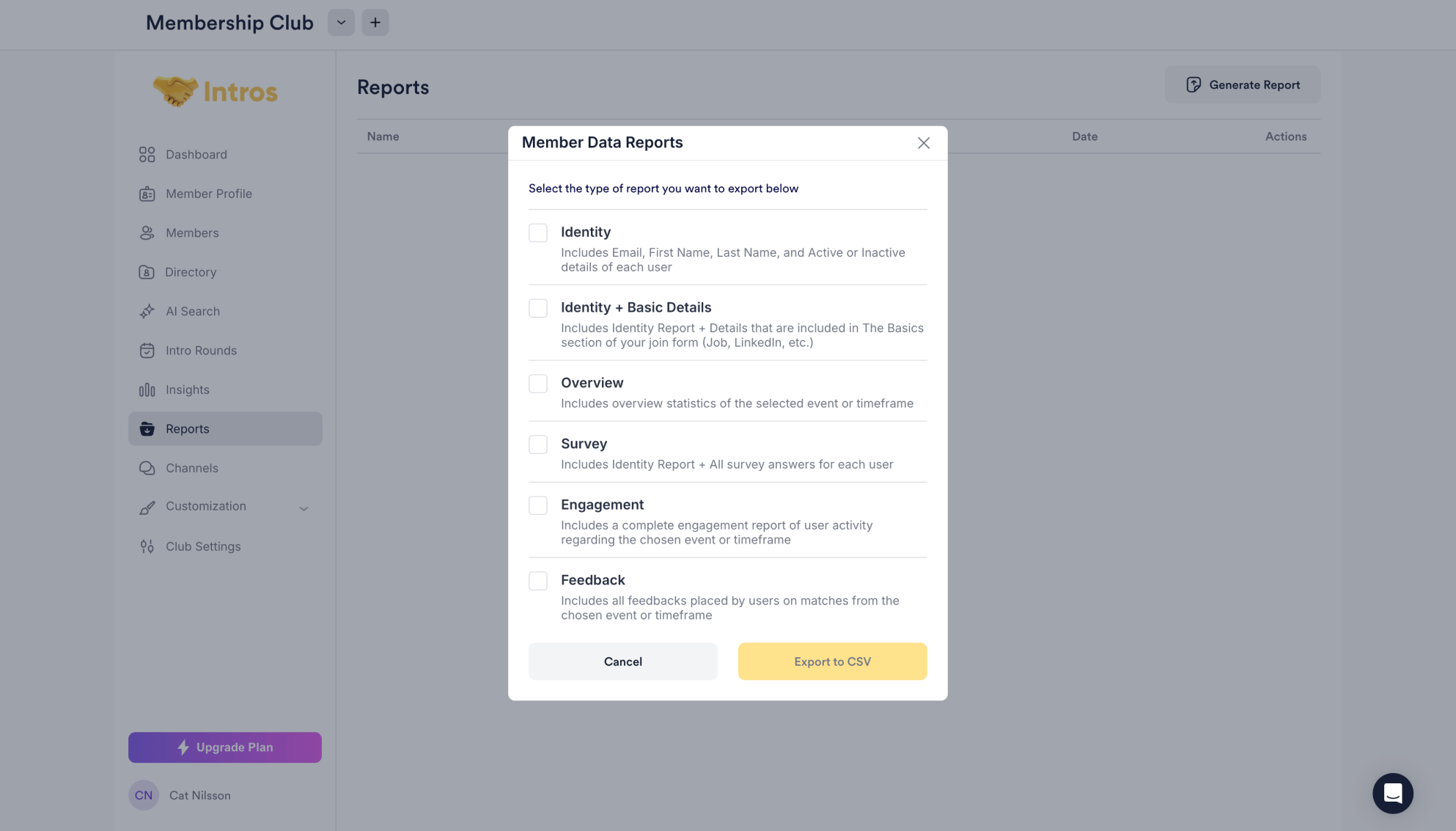
Community Managers can generate reports on member information, including basic details, event overviews, engagement levels, and feedback.

<Steps>
  <Step title="Head to the Reports Tab and Generate a Report">
    <img src="https://mintcdn.com/introsai/UO3OTE3w0Au7uQjM/images/Reports.png?fit=max&auto=format&n=UO3OTE3w0Au7uQjM&q=85&s=4c0dc80afdf0d8a62fa437f291053dd6" alt="" width="1986" height="1122" data-path="images/Reports.png" />
  </Step>

  <Step title="Select the Type of Report and Export to CSV">
    <img src="https://mintcdn.com/introsai/hBTpkxSfHhgJqLpP/images/Member-Data-Reports.png?fit=max&auto=format&n=hBTpkxSfHhgJqLpP&q=85&s=e1f726fc4e5b709772b056323b903dee" alt="" width="1986" height="1133" data-path="images/Member-Data-Reports.png" />
  </Step>
</Steps>
