> ## Documentation Index
> Fetch the complete documentation index at: https://docs.intros.ai/llms.txt
> Use this file to discover all available pages before exploring further.
# Member Profile
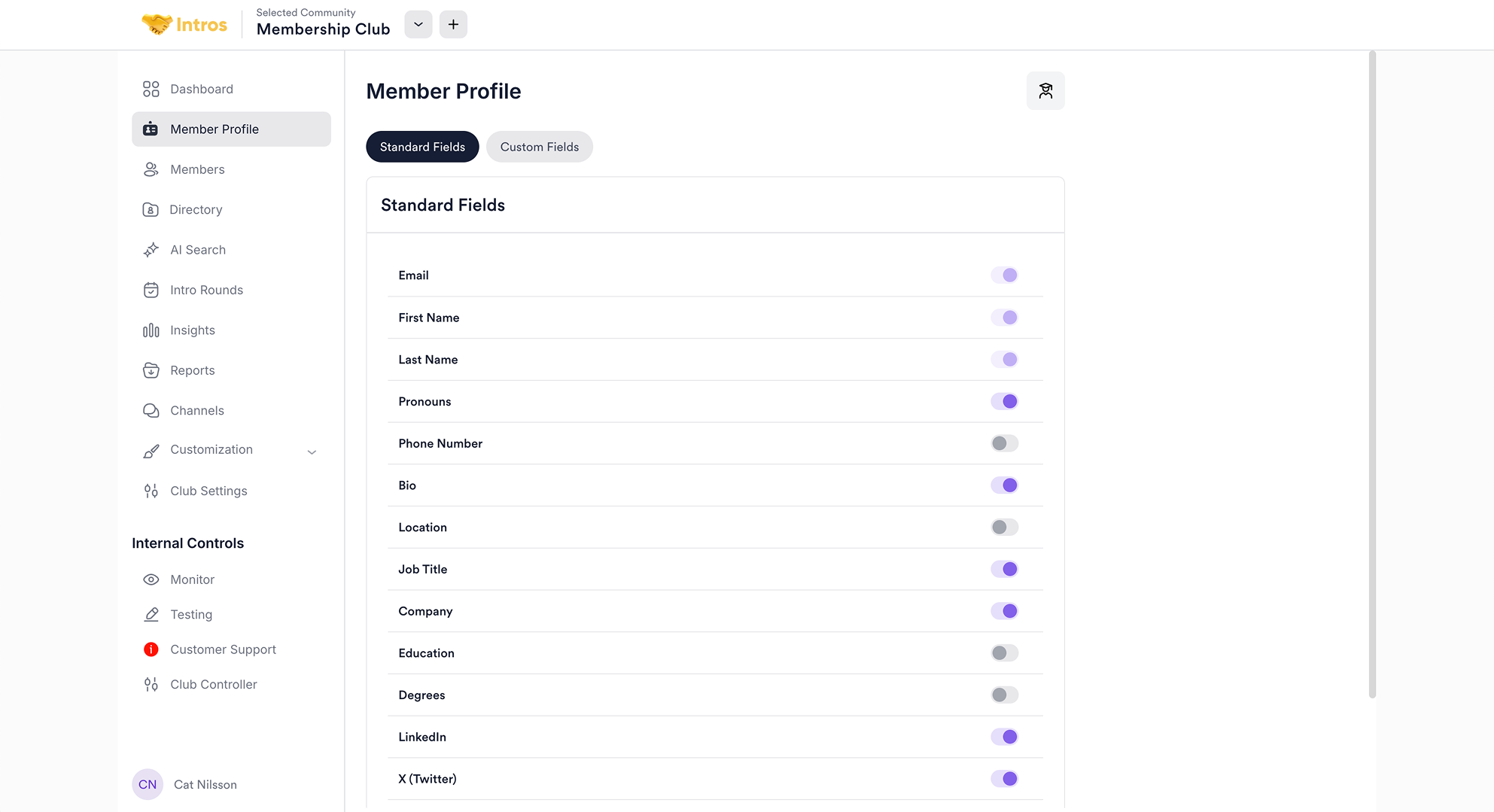 Welcome to the Member Profile page, where you can choose what data to collect from your members as well as customize your onboarding form questions.
You can use both the **"Standard Fields"** and **"Custom Fields"** tabs to determine what data to collect from your members.
In the "Standard Fields" tab, you can toggle on or off the standard information you'd like to collect from members during onboarding, such as first/last name, bio, location, job title, and more.
**Note:** By toggling off certain fields, you also hide them from member's profiles.
Under the "Custom Fields" tab, you can further customize your onboarding questions to gather the most relevant data for member matching. Simply click "+ Add a Question" and choose a question type.
**Note:** You can also map specific data to these questions when you upload members.
Welcome to the Member Profile page, where you can choose what data to collect from your members as well as customize your onboarding form questions.
You can use both the **"Standard Fields"** and **"Custom Fields"** tabs to determine what data to collect from your members.
In the "Standard Fields" tab, you can toggle on or off the standard information you'd like to collect from members during onboarding, such as first/last name, bio, location, job title, and more.
**Note:** By toggling off certain fields, you also hide them from member's profiles.
Under the "Custom Fields" tab, you can further customize your onboarding questions to gather the most relevant data for member matching. Simply click "+ Add a Question" and choose a question type.
**Note:** You can also map specific data to these questions when you upload members.
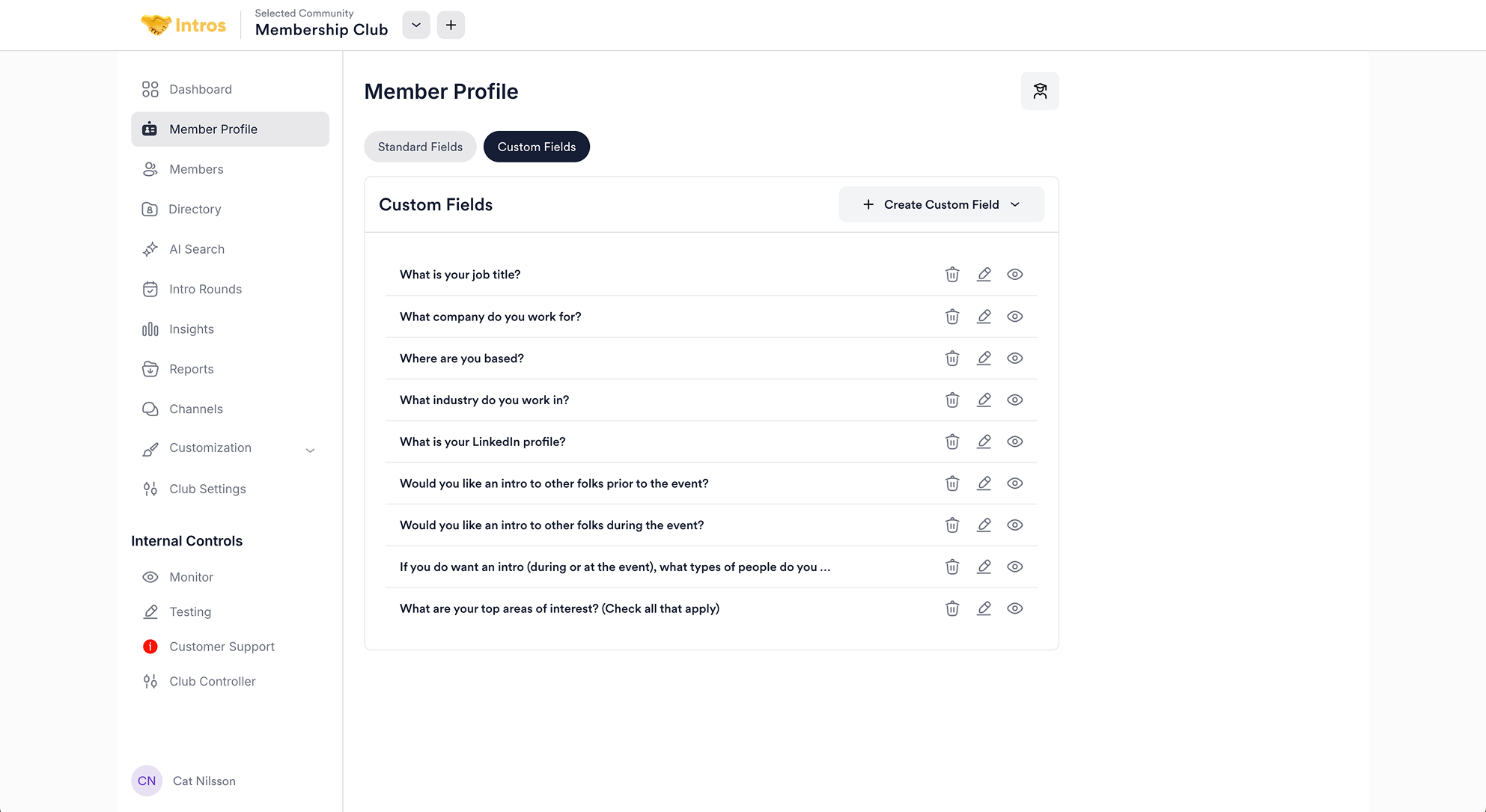 For instance, you might select the "Give and Take" option and ask, "What unique skills or knowledge can you offer others?" and "What areas are you looking to develop or learn more about?" This will help create more personalized matches based on similar responses.
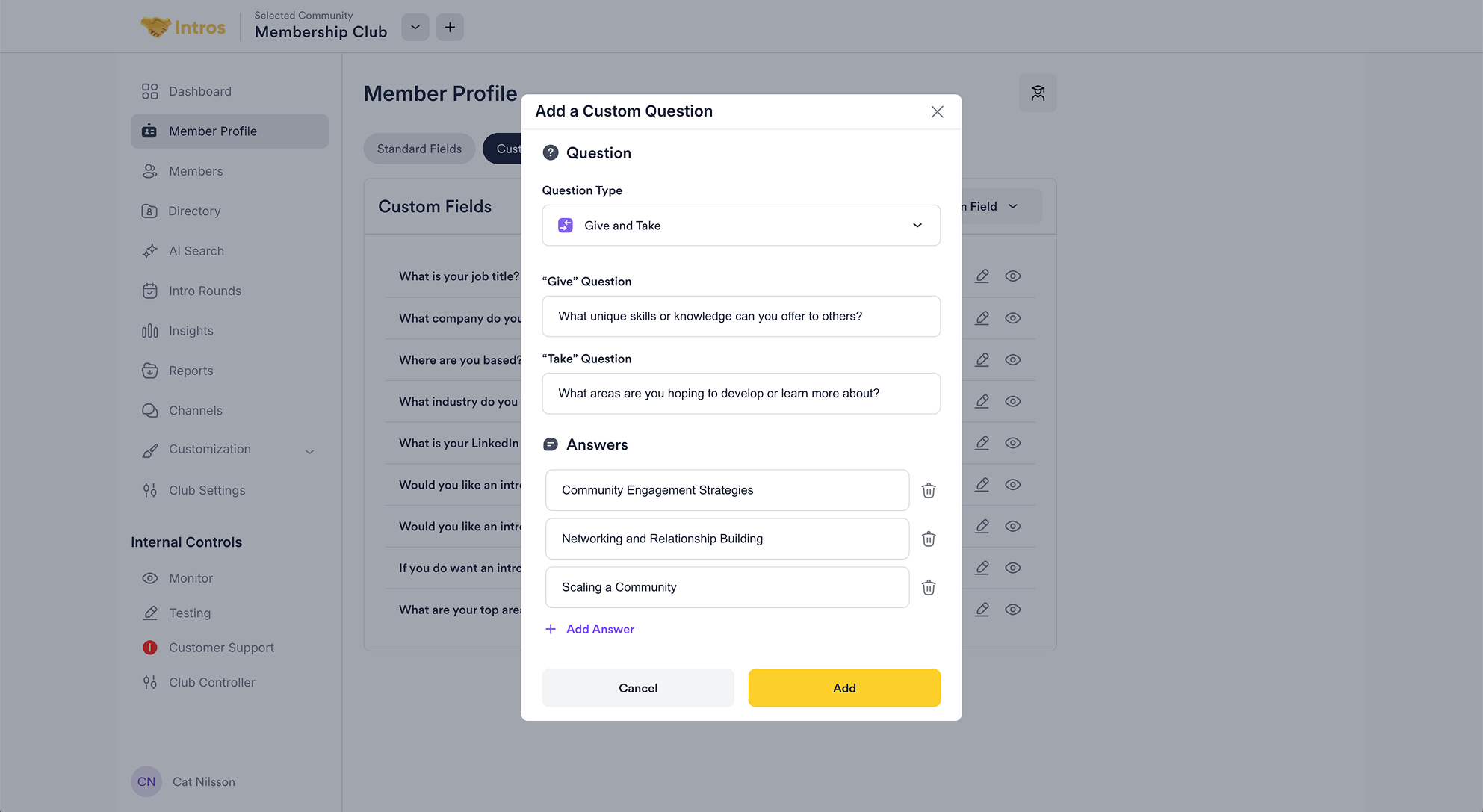 Alternatively, you can choose "Add a Question from Template" to access a curated set of pre-written questions, categorized by topic, ready for you to use.
 ### **Member Profile FAQs**
* **Question:** "How do I add questions to the onboarding form?"
* **Answer:** "By adding fields in the Member Profile tab, the same questions will appear in the onboarding form."
* **Question:** "Is it possible to set conditional questions for different member groups?"
* **Answer:** "Our backend supports different questions for different members, but this is not yet reflected in the frontend. A workaround is to use prompts like ‘For investors (founder, select N/A).’"
* **Question:** "Can I customize the onboarding questions by including a dropdown instead of showing all options at once?"
* **Answer:** "Yes, if the form is built using Typeform, we can implement a dropdown. This isn’t possible with the native Intros AI form, but we can set it up for you with a paid trial or onboarding package."
* **Question:** "Can we add custom fields to the Member Profiles?"
* **Answer:** "Yes, the customized questions you fill out in the onboarding link will also be reflected in each member's profile. When you upload a CSV or integrate with Zapier, you can also create custom fields for pre-existing data when mapping it over from another application."
### **Member Profile FAQs**
* **Question:** "How do I add questions to the onboarding form?"
* **Answer:** "By adding fields in the Member Profile tab, the same questions will appear in the onboarding form."
* **Question:** "Is it possible to set conditional questions for different member groups?"
* **Answer:** "Our backend supports different questions for different members, but this is not yet reflected in the frontend. A workaround is to use prompts like ‘For investors (founder, select N/A).’"
* **Question:** "Can I customize the onboarding questions by including a dropdown instead of showing all options at once?"
* **Answer:** "Yes, if the form is built using Typeform, we can implement a dropdown. This isn’t possible with the native Intros AI form, but we can set it up for you with a paid trial or onboarding package."
* **Question:** "Can we add custom fields to the Member Profiles?"
* **Answer:** "Yes, the customized questions you fill out in the onboarding link will also be reflected in each member's profile. When you upload a CSV or integrate with Zapier, you can also create custom fields for pre-existing data when mapping it over from another application."