> ## Documentation Index
> Fetch the complete documentation index at: https://docs.intros.ai/llms.txt
> Use this file to discover all available pages before exploring further.
# Directory
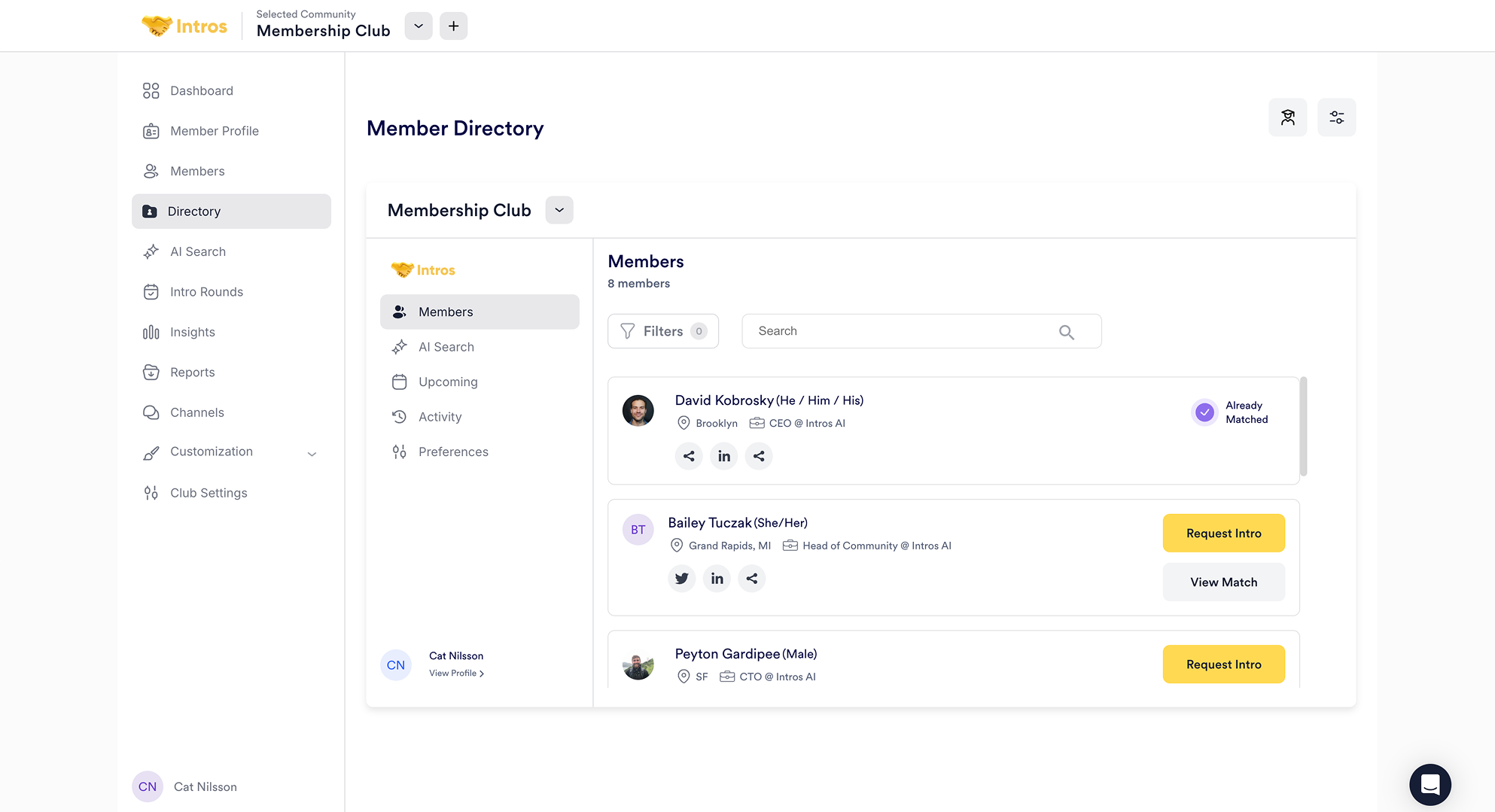 Welcome to the Directory page! Here, your members can explore and request introductions, see their upcoming scheduled matches and activities, as well as update their preferences and profile settings.
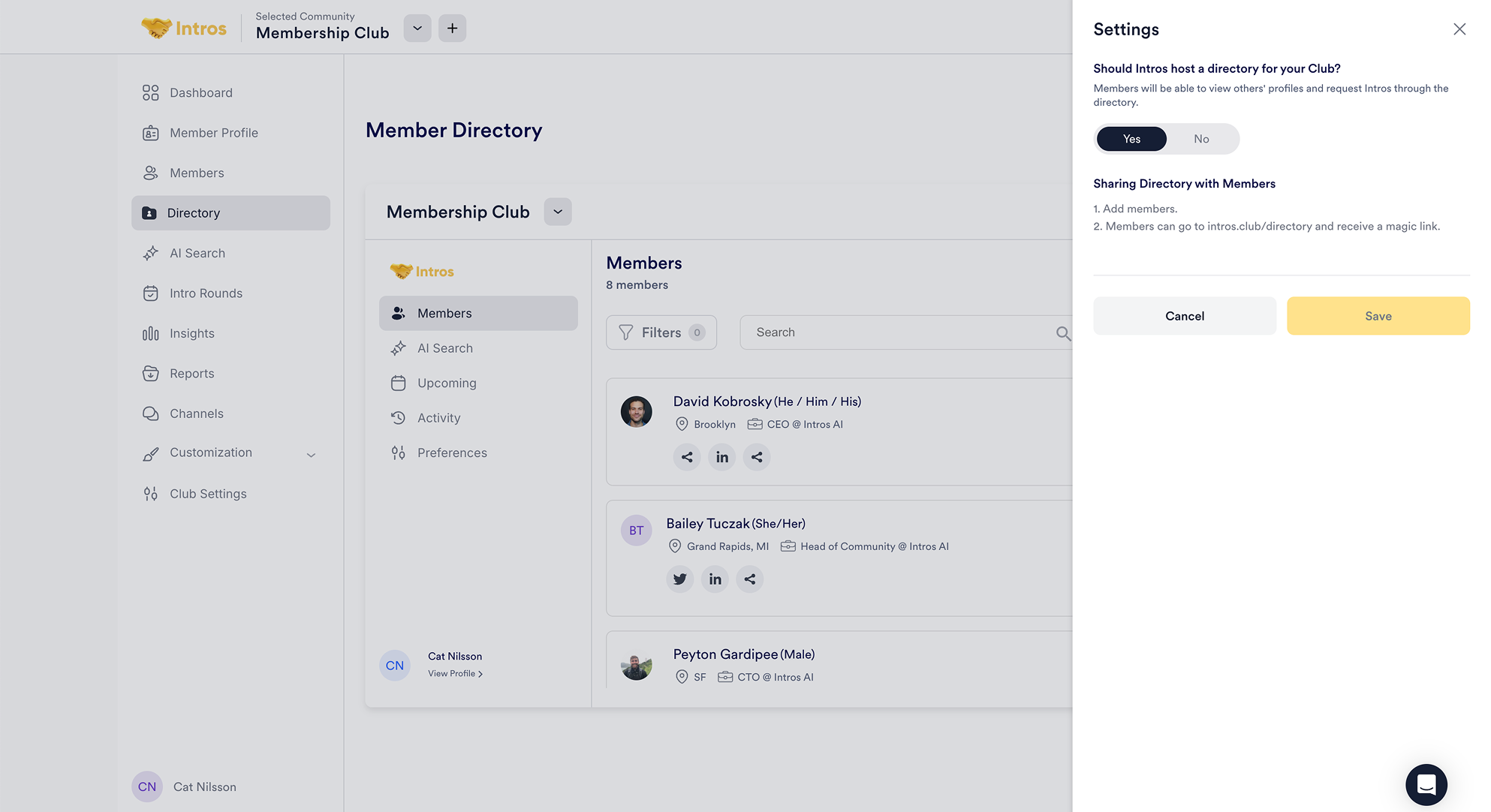 **Note:** You can click the toggle icon on the right side of the page and select "No" if you prefer not to have a Directory, preventing members from requesting introductions on their own.
***
### Member Directory Experience
Under **Members**, members can request introductions with others directly. They can also apply filters (e.g. location, company) at the top to find personalized matches.
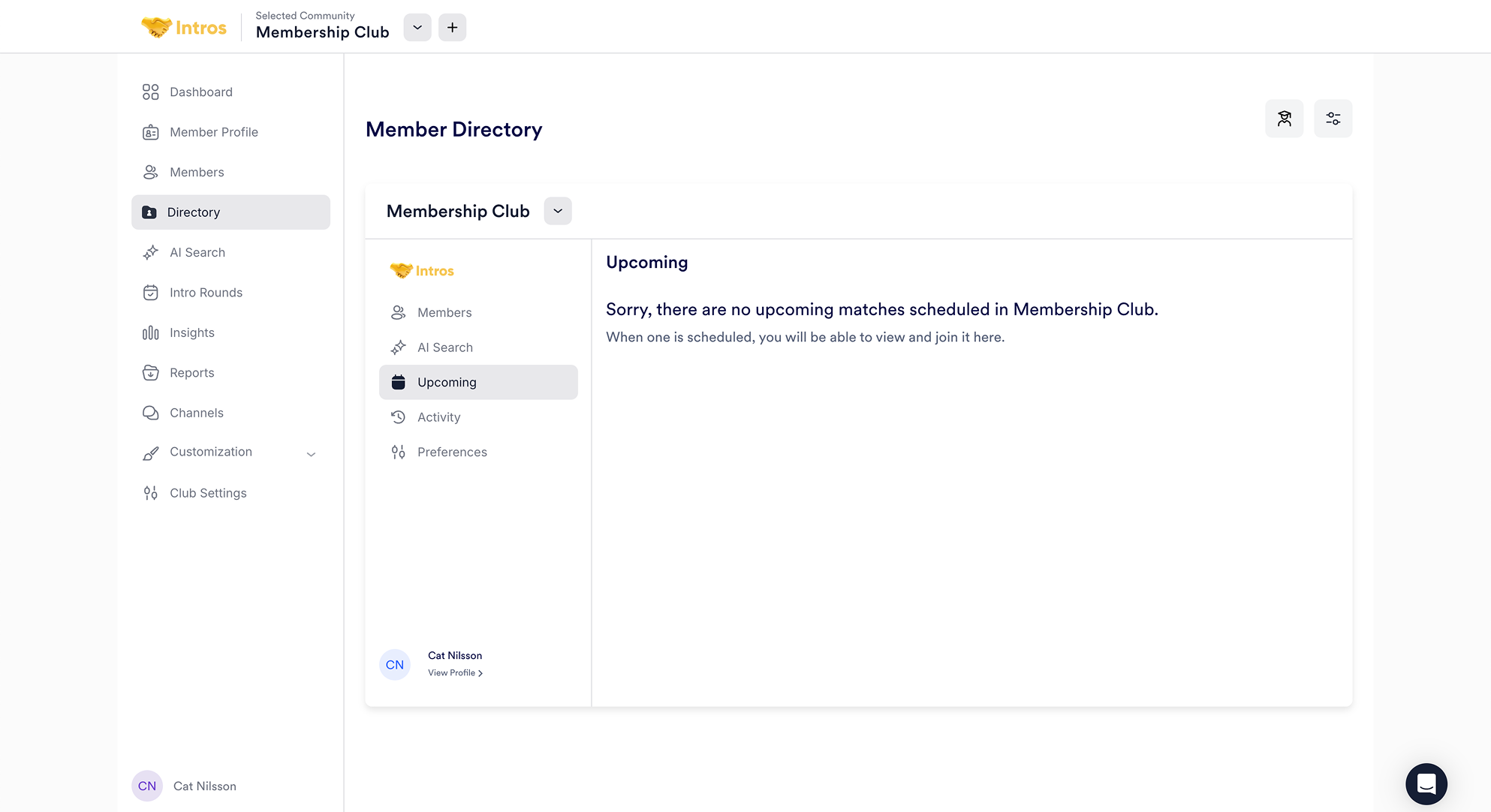
Under **Upcoming**, members can view all their upcoming scheduled matches.
**Note:** You can click the toggle icon on the right side of the page and select "No" if you prefer not to have a Directory, preventing members from requesting introductions on their own.
***
### Member Directory Experience
Under **Members**, members can request introductions with others directly. They can also apply filters (e.g. location, company) at the top to find personalized matches.
Under **Upcoming**, members can view all their upcoming scheduled matches.
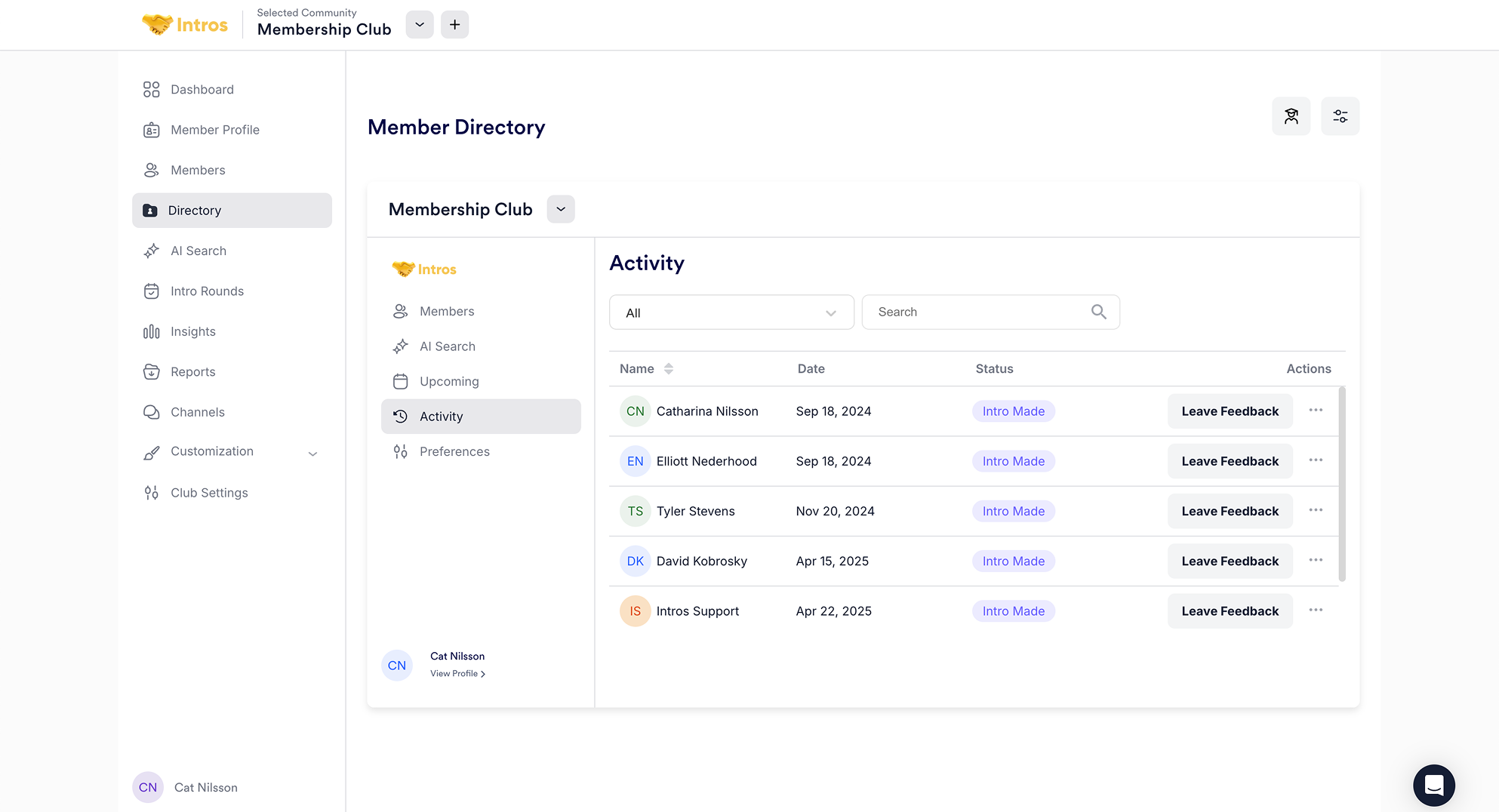
 Under **Activity**, members can track all their interactions. They can filter by intros made, times proposed, scheduled and completed matches, and leave feedback for each introduction.
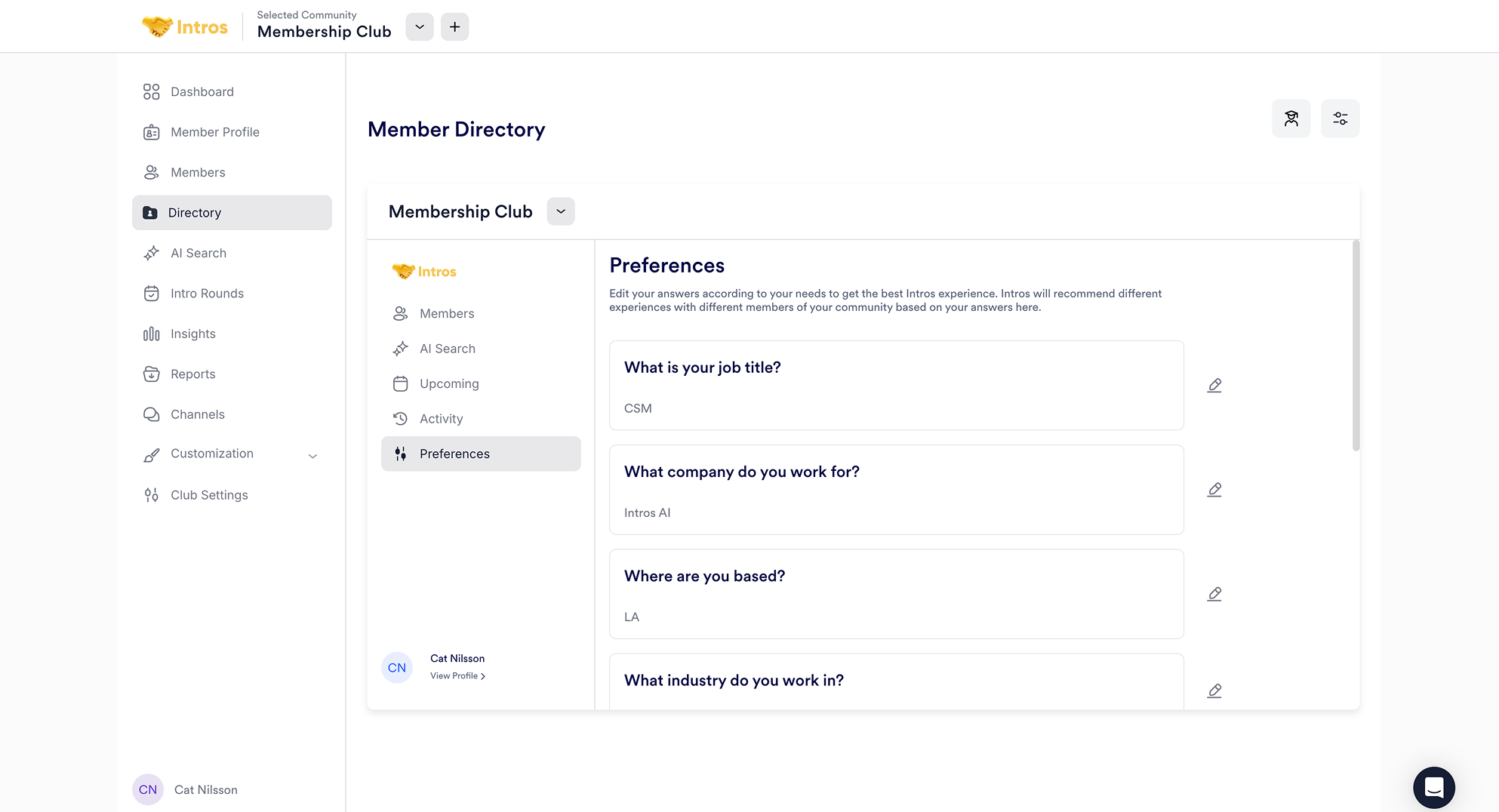
 Under **Preferences**, members can update their answers to the onboarding questions for a more personalized Intros experience.
 ***
### Member Profile Experience
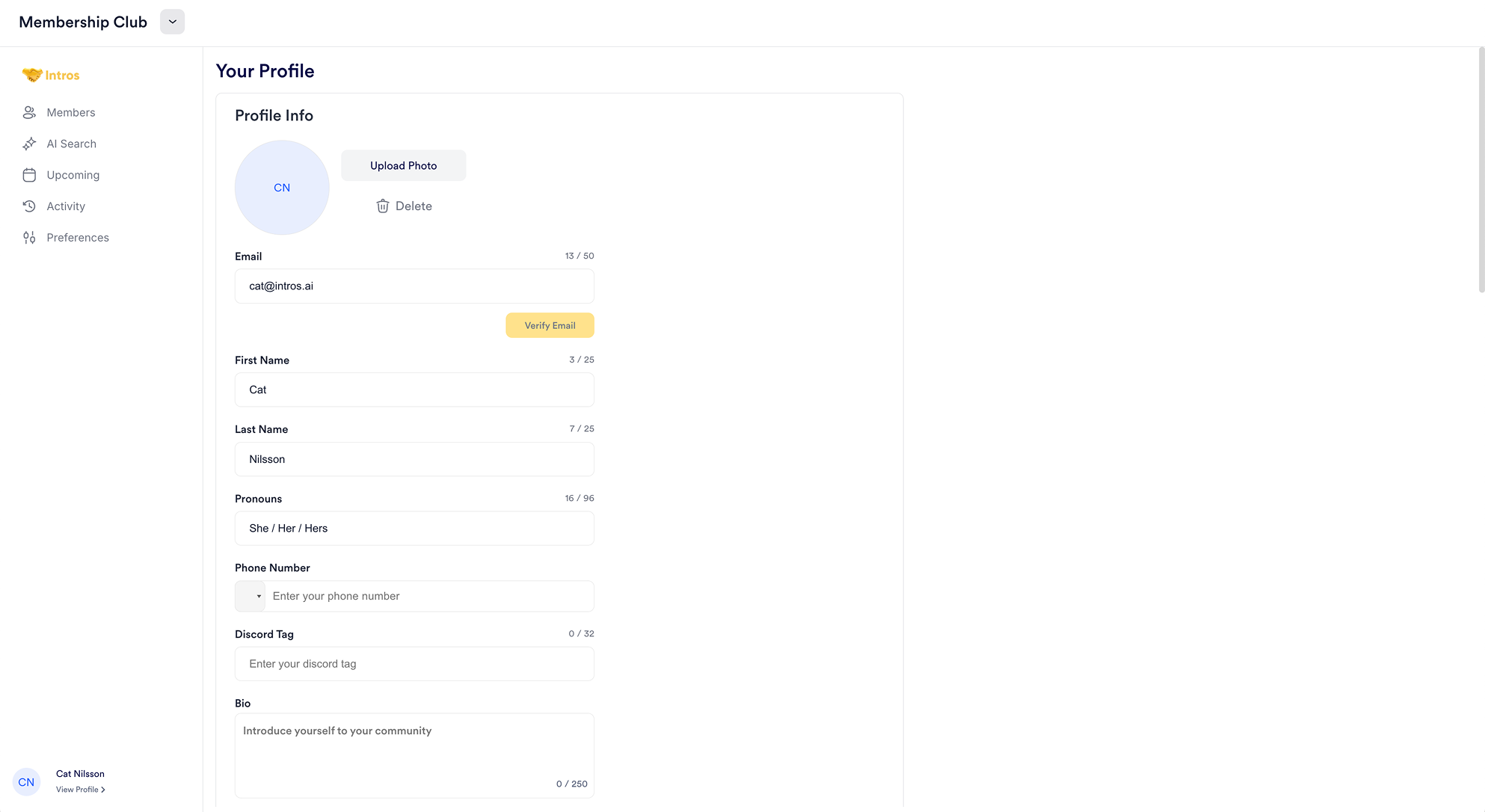
When members log in, they are greeted with "Your Profile" (which they can access by clicking "View Profile" in the bottom lefthand corner of their screen), where they can upload a headshot and update personal details like email, pronouns, phone number, and bio.
***
### Member Profile Experience
When members log in, they are greeted with "Your Profile" (which they can access by clicking "View Profile" in the bottom lefthand corner of their screen), where they can upload a headshot and update personal details like email, pronouns, phone number, and bio.
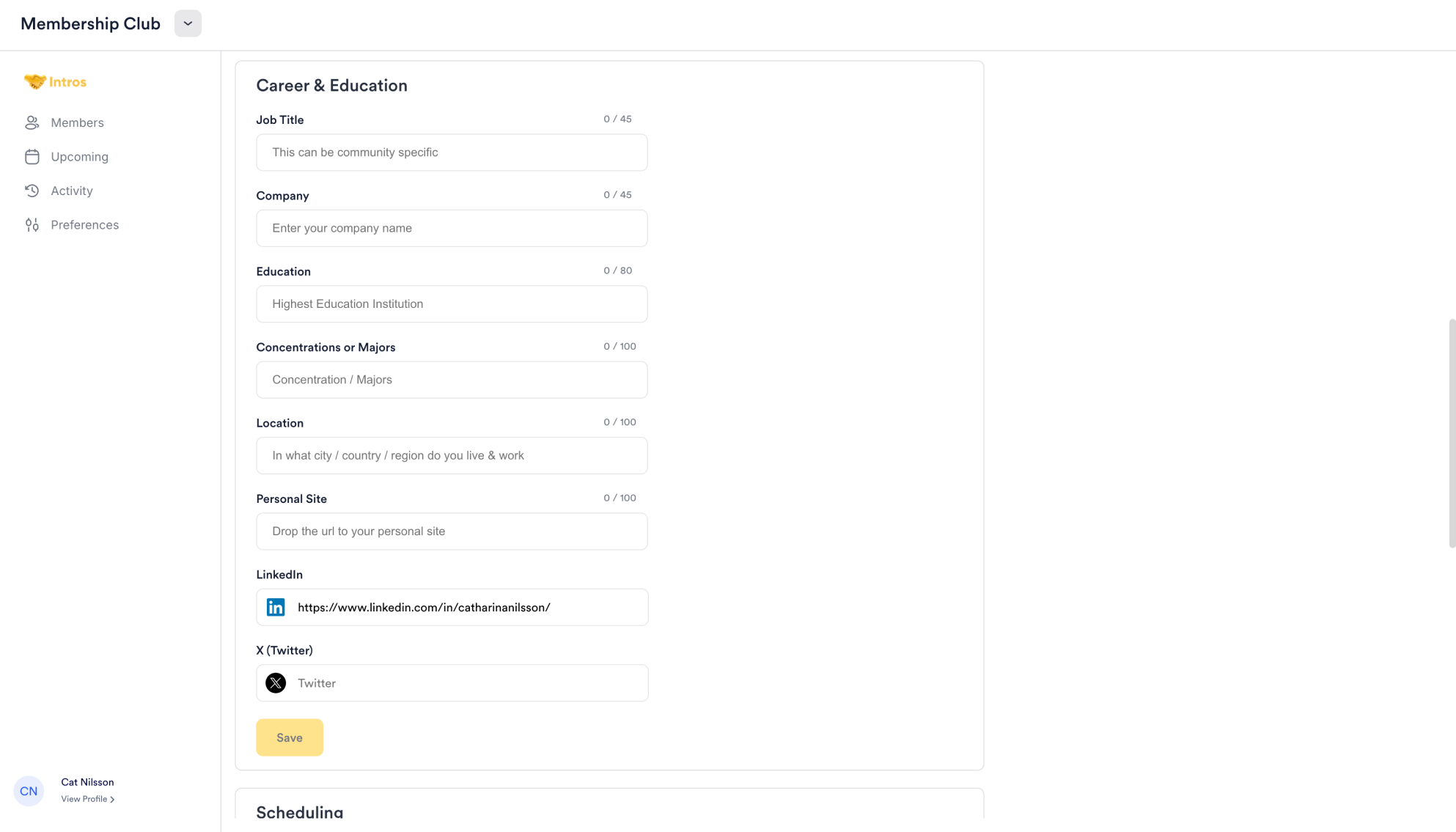
 As they scroll down, they can also update career and education information, including job title, company, university, major, location, and LinkedIn profile.
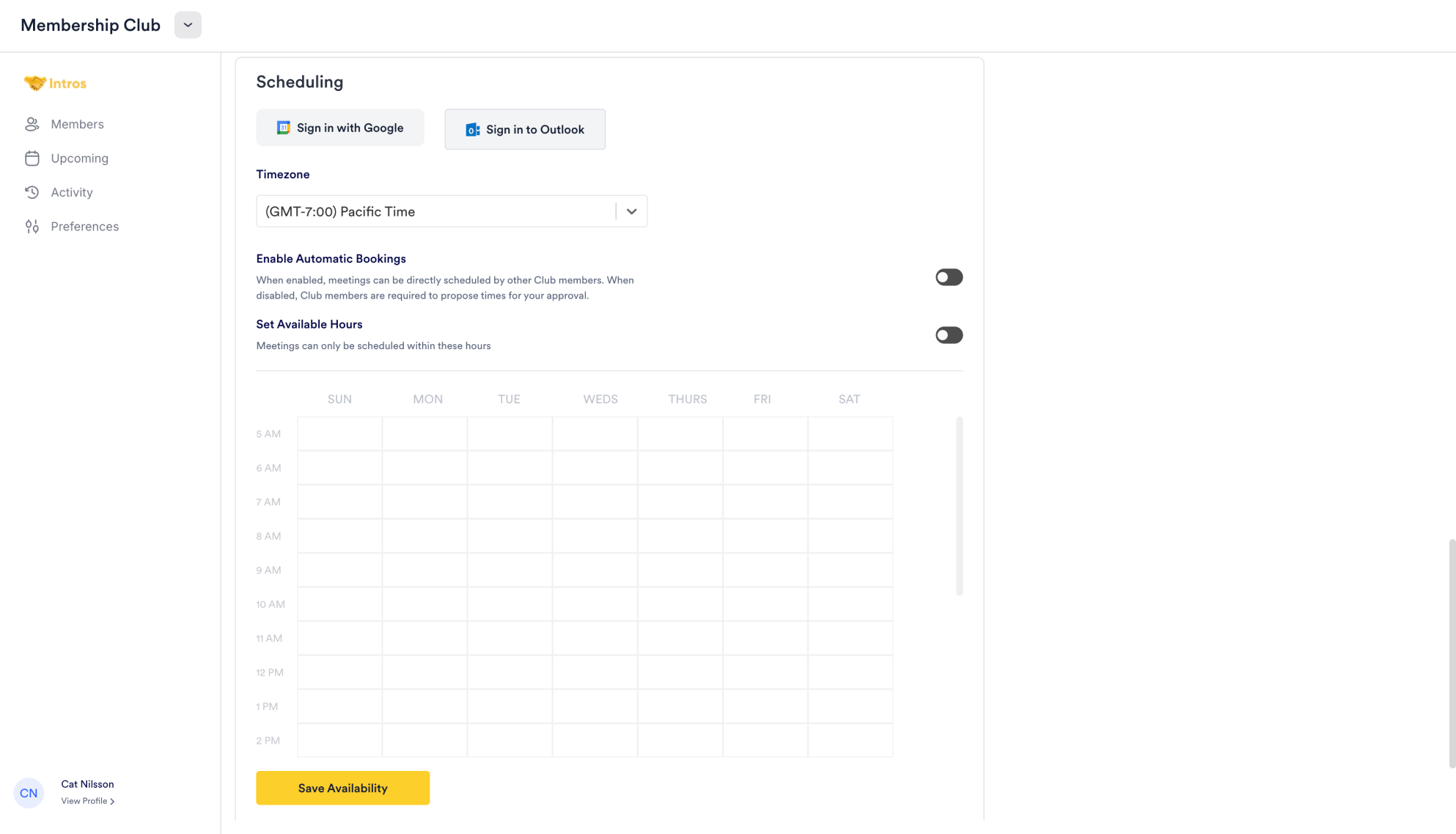
 Members can also connect their calendar for easier scheduling, set their time zone, enable automatic bookings, and define available hours for calls.
 Additionally, they have the option to leave the community if desired.
 ### **Directory FAQs**
#### **Admin**
* **Question:** "Are there customization options for the Directory page?"
* **Answer:** "We are working on making the Directory more customizable. However, segmentation and cross-group matching features are higher on our roadmap."
#### **Member Experience**
* **Question:** "Can members customize their profiles?"
* **Answer:** "Yes, members can customize their profiles by logging into the platform through a magic link (without having to input a password) to add personal information, upload their profile picture / headshot, and update their preferences."
* **Question:** "How does calendar syncing work for participants?"
* **Answer:** "Participants can sync their calendars by going to their Member profile and selecting either ‘Connect to Google Calendar’ or ‘Connect to Outlook Calendar’."
* **Question:** "Can members reschedule their introductions?"
* **Answer:** "Yes, members can reschedule their introductions themselves; the other member will receive a cancellation notification via email and can then click on a rescheduling link to input their availability for a future call."
* **Question:** "What happens if a member misses their introduction?"
* **Answer:** "If a member misses their introduction, they can follow up directly with the other member to reschedule. If not, we send a feedback form where the other member can report that they missed the call."
* **Question:** "What kind of technical support is available for members to provide feedback or report issues?"
* **Answer:** "On the Pro or Enterprise plan, we offer email and intercom support for members."
* **Question:** "Are there any mobile app features for members?"
* **Answer:** "Yes, the platform is optimized for both mobile and desktop usage."
* **Question:** "How many touch points are required for members to use Intros AI successfully?"
* **Answer:** "There are two key touch points: 1) opting in or out of an introduction, and 2) the introduction itself. Scheduling is optional as a third touchpoint. Intros AI can function without any touch points if you upload a CSV or connect your CRM."
### **Directory FAQs**
#### **Admin**
* **Question:** "Are there customization options for the Directory page?"
* **Answer:** "We are working on making the Directory more customizable. However, segmentation and cross-group matching features are higher on our roadmap."
#### **Member Experience**
* **Question:** "Can members customize their profiles?"
* **Answer:** "Yes, members can customize their profiles by logging into the platform through a magic link (without having to input a password) to add personal information, upload their profile picture / headshot, and update their preferences."
* **Question:** "How does calendar syncing work for participants?"
* **Answer:** "Participants can sync their calendars by going to their Member profile and selecting either ‘Connect to Google Calendar’ or ‘Connect to Outlook Calendar’."
* **Question:** "Can members reschedule their introductions?"
* **Answer:** "Yes, members can reschedule their introductions themselves; the other member will receive a cancellation notification via email and can then click on a rescheduling link to input their availability for a future call."
* **Question:** "What happens if a member misses their introduction?"
* **Answer:** "If a member misses their introduction, they can follow up directly with the other member to reschedule. If not, we send a feedback form where the other member can report that they missed the call."
* **Question:** "What kind of technical support is available for members to provide feedback or report issues?"
* **Answer:** "On the Pro or Enterprise plan, we offer email and intercom support for members."
* **Question:** "Are there any mobile app features for members?"
* **Answer:** "Yes, the platform is optimized for both mobile and desktop usage."
* **Question:** "How many touch points are required for members to use Intros AI successfully?"
* **Answer:** "There are two key touch points: 1) opting in or out of an introduction, and 2) the introduction itself. Scheduling is optional as a third touchpoint. Intros AI can function without any touch points if you upload a CSV or connect your CRM."