> ## Documentation Index
> Fetch the complete documentation index at: https://docs.intros.ai/llms.txt
> Use this file to discover all available pages before exploring further.
# Customization
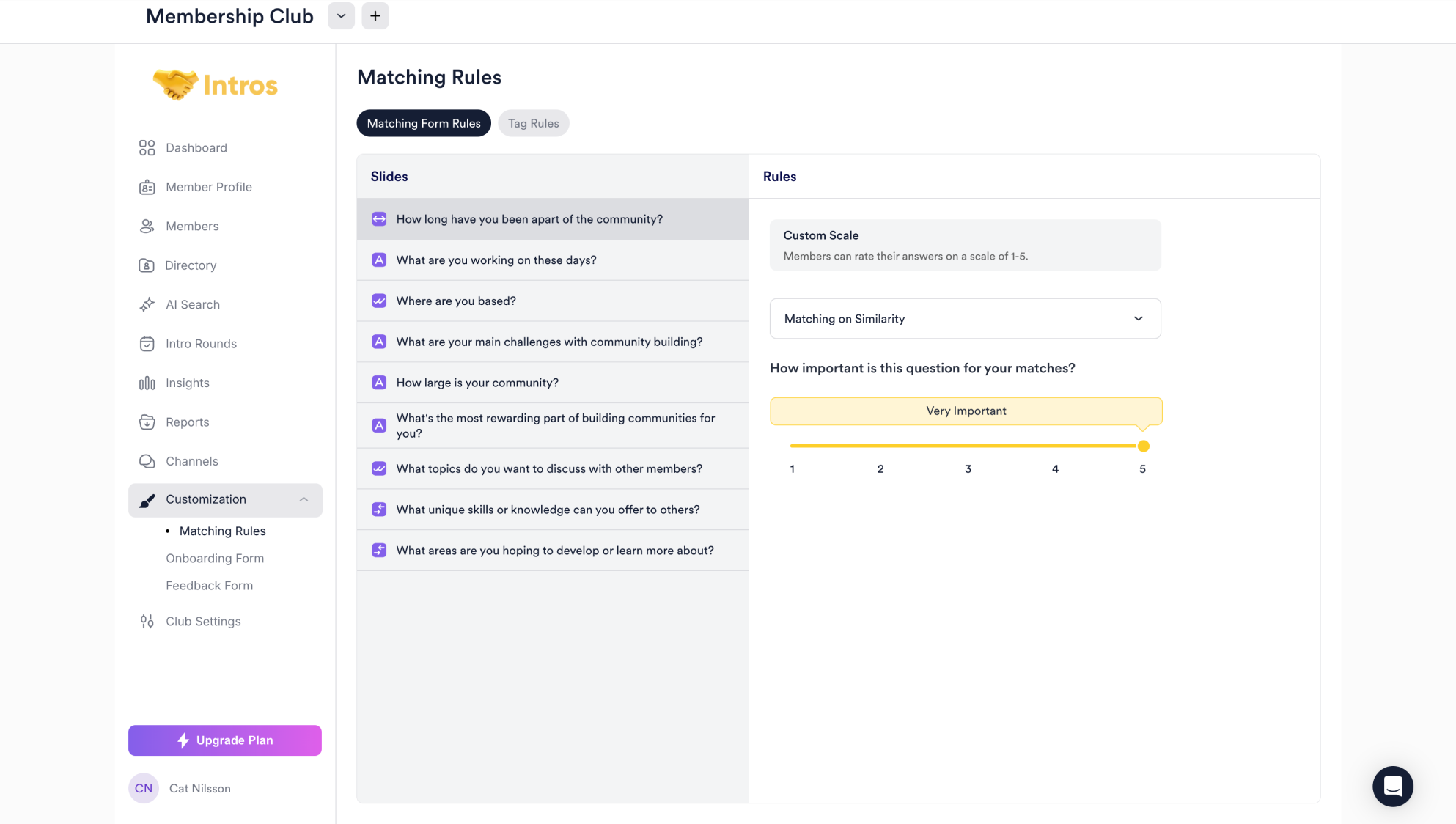 Welcome to the Customization page, where you can tailor Matching Rules, and customize the Onboarding and Feedback Forms.
In the **Matching Rules** section, you can set up the rules you use and implement when scheduling an Intro Round.
**Pro Tip:** Visit [Intro Rounds](https://docs.intros.ai/getting-started/intro-rounds) for a deeper dive into Matching and Tag Rules.
You can apply various rules, such as matching members based on similarities, within sub-groups or across them, and assign specific weights to each rule.
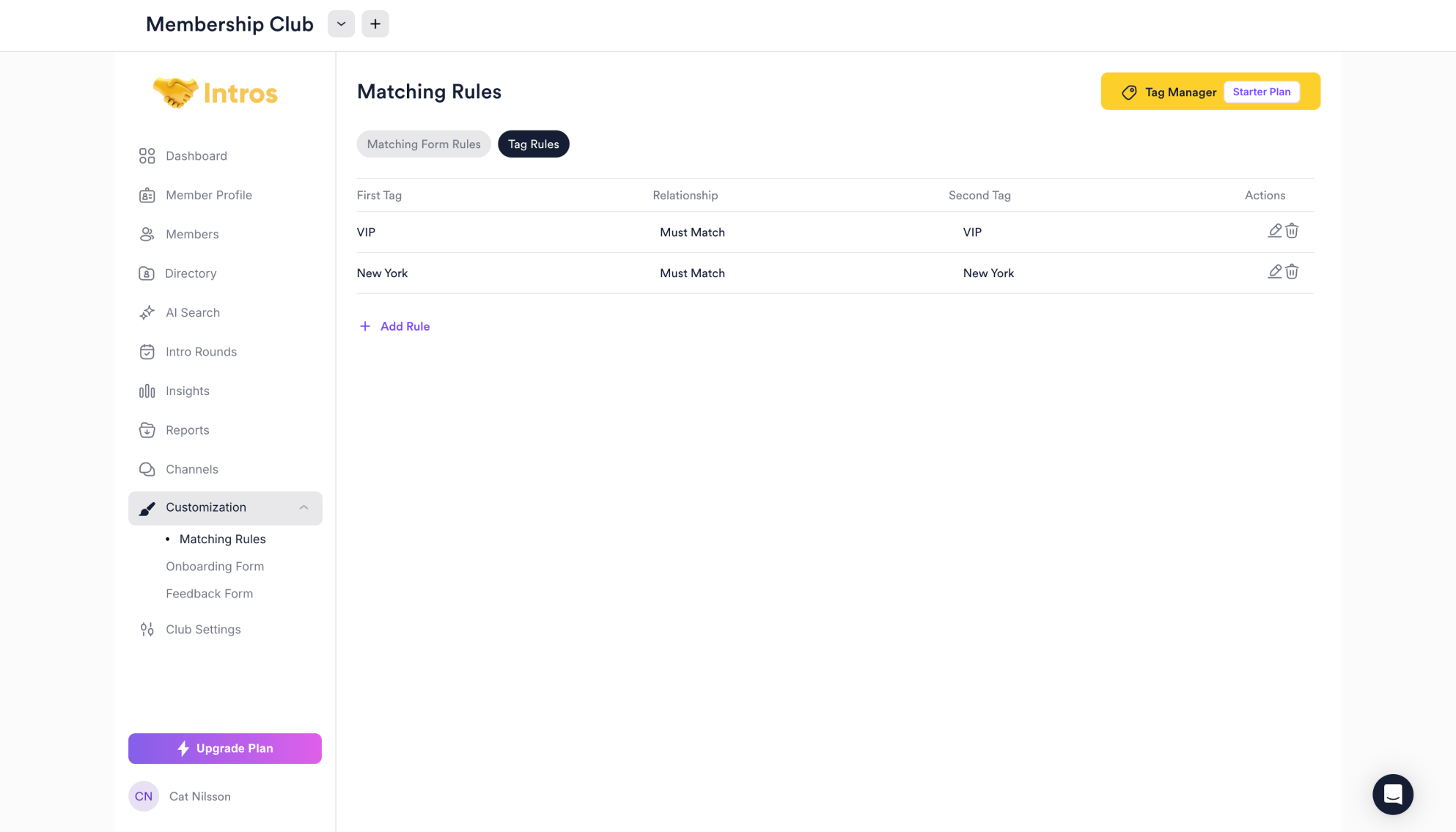
You can also add custom tag rules, for example: "New York members must match with other New York members" and "VIP members must match with other VIP members."
Welcome to the Customization page, where you can tailor Matching Rules, and customize the Onboarding and Feedback Forms.
In the **Matching Rules** section, you can set up the rules you use and implement when scheduling an Intro Round.
**Pro Tip:** Visit [Intro Rounds](https://docs.intros.ai/getting-started/intro-rounds) for a deeper dive into Matching and Tag Rules.
You can apply various rules, such as matching members based on similarities, within sub-groups or across them, and assign specific weights to each rule.
You can also add custom tag rules, for example: "New York members must match with other New York members" and "VIP members must match with other VIP members."
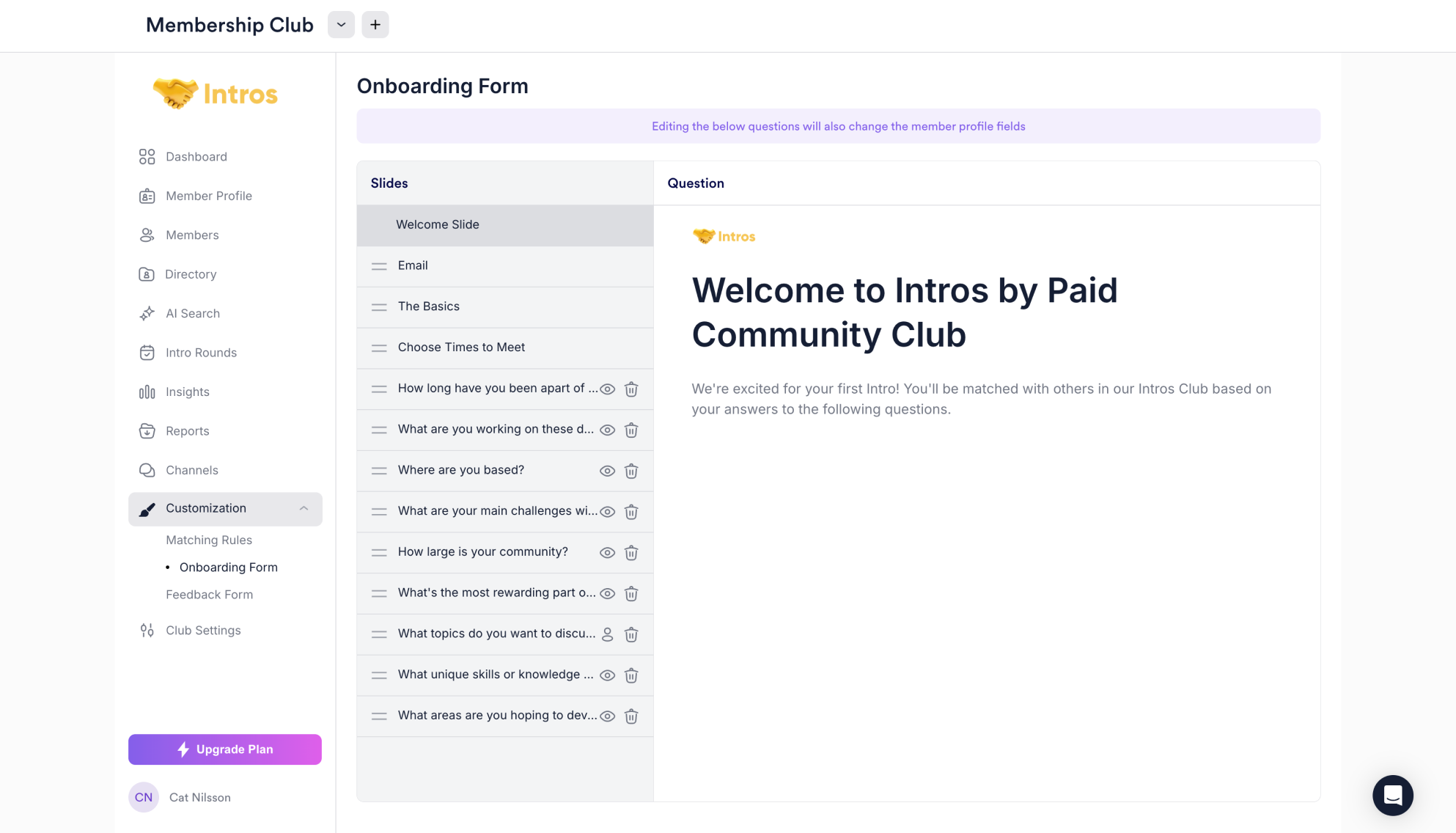
 In the **Onboarding Form** section, you can customize the form used to gather important data from your members for matching purposes, including the welcome slide, basic information, and more.
**Pro Tip:** Visit [Member Profile](https://docs.intros.ai/getting-started/member-profile) to learn how to add custom questions. To find out how to preview the Onboarding Form, head to [Members](https://docs.intros.ai/getting-started/member-profile).
In the **Onboarding Form** section, you can customize the form used to gather important data from your members for matching purposes, including the welcome slide, basic information, and more.
**Pro Tip:** Visit [Member Profile](https://docs.intros.ai/getting-started/member-profile) to learn how to add custom questions. To find out how to preview the Onboarding Form, head to [Members](https://docs.intros.ai/getting-started/member-profile).
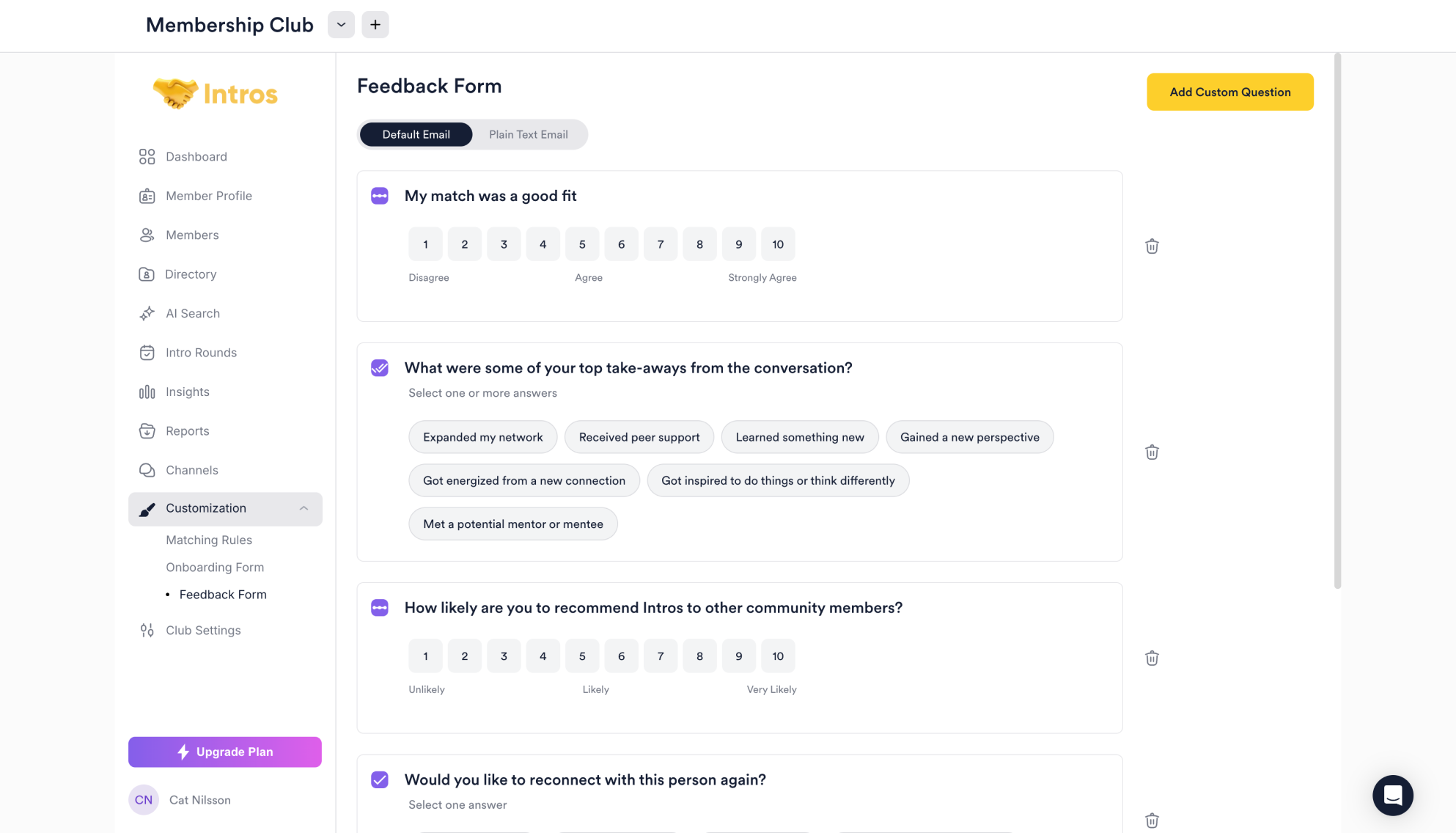
 In the **Feedback Form** section, you can customize the form members receive after an Intro Round. It captures details such as match fit, key takeaways, and interest in reconnecting. You can also add custom questions.
**Note:** The Feedback Form helps the Intros AI team improve the member experience and enhance future interactions.
In the **Feedback Form** section, you can customize the form members receive after an Intro Round. It captures details such as match fit, key takeaways, and interest in reconnecting. You can also add custom questions.
**Note:** The Feedback Form helps the Intros AI team improve the member experience and enhance future interactions.
 ### **Customization FAQs**
#### **Matching Rules**
* **Question:** "Which Matching Rules should I use?"
* **Answer:** "We recommend using ‘Matching on Similarity’ for most questions, but you can explore different options under ‘Matching Rules’ on the [Intro Rounds](https://docs.intros.ai/getting-started/intro-rounds) page to understand the benefits of each."
* **Question:** "Can you add location to Matching Rules?"
* **Answer:** "Yes! Using Tags, you can create location-specific tags, apply them to members, and then use ‘Tag Rules’ to match members based on their location in an Intro Round."
* **Question:** "Is there a way to create custom matching criteria?"
* **Answer:** "While we are working on more advanced matching capabilities, at present, the platform supports native options for matching. More customization options are planned for future releases."
#### **Onboarding Form**
1. **Question:** "Does someone need to fill out the onboarding form to be searchable? Can others request a match if a member hasn’t completed the form?"
* **Answer:** "No, a member doesn’t need to fill out the onboarding form to be searchable. Other members can request a match even if the form isn't filled out. If you prefer members to be searchable without filling out information themselves, admins can upload their details via CSV or CRM integration instead."
### **Customization FAQs**
#### **Matching Rules**
* **Question:** "Which Matching Rules should I use?"
* **Answer:** "We recommend using ‘Matching on Similarity’ for most questions, but you can explore different options under ‘Matching Rules’ on the [Intro Rounds](https://docs.intros.ai/getting-started/intro-rounds) page to understand the benefits of each."
* **Question:** "Can you add location to Matching Rules?"
* **Answer:** "Yes! Using Tags, you can create location-specific tags, apply them to members, and then use ‘Tag Rules’ to match members based on their location in an Intro Round."
* **Question:** "Is there a way to create custom matching criteria?"
* **Answer:** "While we are working on more advanced matching capabilities, at present, the platform supports native options for matching. More customization options are planned for future releases."
#### **Onboarding Form**
1. **Question:** "Does someone need to fill out the onboarding form to be searchable? Can others request a match if a member hasn’t completed the form?"
* **Answer:** "No, a member doesn’t need to fill out the onboarding form to be searchable. Other members can request a match even if the form isn't filled out. If you prefer members to be searchable without filling out information themselves, admins can upload their details via CSV or CRM integration instead."